Showing posts with label design. Show all posts
Showing posts with label design. Show all posts
Adobe's New Photoshop Touch Apps for iPad
Today, Adobe announced upcoming apps and updates to Creative Suite all aligned with the iPad. Check out this video of Adobe Senior Vice President John Loiacono discussing the updates.
Read more on AllThingsD:
Adobe Recasts the iPad as High-Tech Palette for Photoshop
Why Apple Succeeds: Users, Not Designers, Have the Best Ideas

Frog Design writes about creating ecosystems in which users and developers can grab the reins and be creative – and why that's a better strategy than trying to control the design yourself.
Read more:
Why Apple Succeeds: Users, Not Designers, Have the Best Ideas
This Is What Skype 5 For Mac Should Look Like

Read more:
This Is What Skype 5 For Mac Should Look Like
A little bit of history repeating

This post from Cultured Code's blog describes the team's approach to designing just one dialog: creating repeating events. This potentially complex interaction has been done very well, and very badly, in various calendar and todo applications. Here's an example of a team that got it right, and how they approached the design process.
Habemus Dialogum – We Have a Dialog
P.S. For those recognizing the lyrics referenced in the title of this post:
A Sneak Peek at Much Needed Blogger Redesign
Blogger gave SXSW attendees a sneak peak at upcoming (and much needed) Blogger redesign work. As a Blogger user, I'm very much looking forward to giving this new interface a test drive.
Read more at Blogger Buzz: What’s New With Blogger
Read more at Blogger Buzz: What’s New With Blogger
Behind the Scenes: What it Takes to Redesign a 12 Million User Website

Mashable takes a look at the re-design process behind Thrillist.com.
The Lost Principles of Design

Nice reminder about design fundamentals such as balance, contrast and proportion.
11 Principles of Interaction Design explained
“Everything should be made as simple as possible, but no simpler.”
- Albert Einstein
Paul Seys, a UK-based user experience designer, describes 11 core principles of interaction design, including one of my favorites, Cognitive Load. Put simply, don't make users think.
Paul Seys, a UK-based user experience designer, describes 11 core principles of interaction design, including one of my favorites, Cognitive Load. Put simply, don't make users think.
Your Design Is Wrong (And Here's Why)
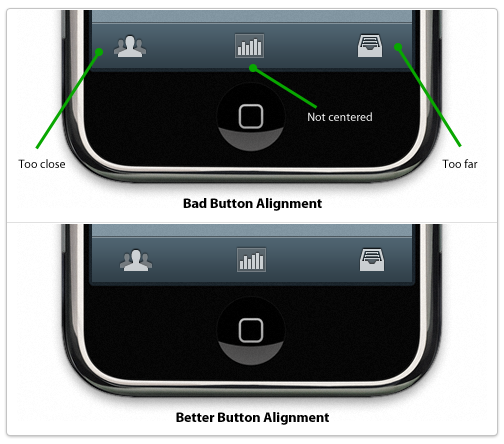
Your Design Is Wrong (And Here's Why) ~ Flyosity by Mike Rundle
On Creativity and Design

Matt Ward poses the question, can creativity and design be independent of each other? As designers, we can create beautiful, functional and highly usable experiences without necessarily being "creative", in the sense of bringing something into being that has never been seen before.
However, as the web is a shared medium where, in most circumstances, the user is trying to *do* something, is this a bad thing? Is the thoughtful construction of typography and visual elements using a grid, open standards and best practices "creativity", or just clever synthesis? Interesting questions, as we think through our roles as both artists and practitioners.
Read more:
Design Leadership
This is a fantastic presentation from the creative folks at Frog Design, outlining what it takes to be a great design leader. Highly recommending reading for my creative brethren. Enjoy!
Leah Buley at Adaptive Path references this presentation here:
UX Design Leadership Model
Leah Buley at Adaptive Path references this presentation here:
UX Design Leadership Model
Great iPad Apps for Web Designers
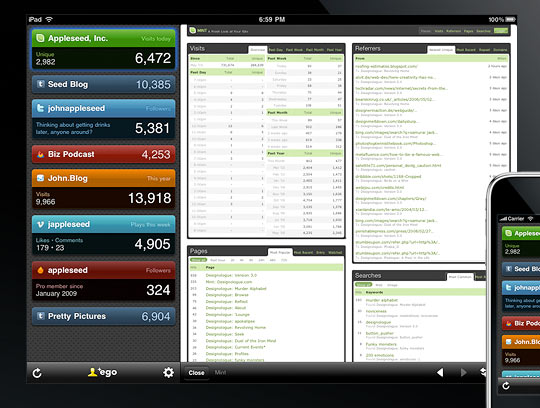
Here's a great collection of iPad apps for designers, including sketching tools, analytics, web development, and one of my favorites, Air Display, which turns your iPad into a second monitor. Great for OmniGraffle palettes:
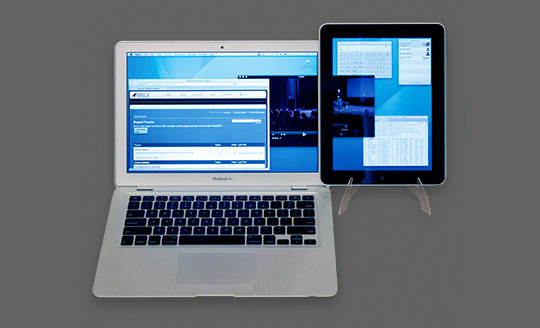
Read more:
10 Best iPad Apps for Web Designers | Tools
A Fresh Visual Identity for the Girl Scouts

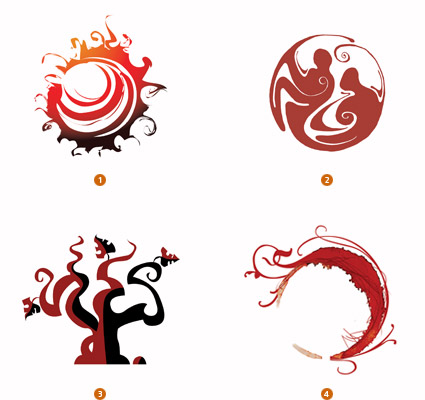
New visual identity for the Girl Scouts organization by Jennifer Kinon and Bobby Martin.
Read more:
A Fresh Identity for the Girl Scouts of America | Co.
modulR iPad case and iPad accessory system

Interesting and elegant modular system of accessories for the iPad. Scheduled to be released this summer.
Designing for the iPhone and iPad - A Collection of Pre-Built GUI Kits


If you are developing interfaces for the iPhone or iPad and are looking for pre-build GUI resources, check out this comprehensive collection from Speckyboy:
Designing for iPad: Reality Check

Are you designing apps for Apple's iPad? Check out this blog post from Information Architects.jp. They dig into typography, interaction design, the iPad's 3-dimensional elements and much more.
They also include a ton of interesting insights into what worked for them, what didn't, and some of the ways they experimented to get their UX right. Definitely worth checking out:
Mobile Interface Development Tools for Android, iPhone, iPad, Palm Pre

This is a great collection of on and offline tools for developing interfaces for mobile devices, including a Photoshop file for iPad applications. Enjoy!
Mobile Interface Development: Ultimate GUI Toolbox for Android, iPhone, iPad, Palm Pre | Coding | PelFusion.com
hat tip: InspiredMag and PelFusion.com
shared via AddThis.com
Sharing, Your Way

30 Amazingly Creative Social Bookmarks Icon Sets - Speckyboy Design Magazine
For help with customizing AddThis for your blog or site, check out Customizing AddThis and the the API overview. Have fun!
15 Desktop & Online Wireframing Tools | UX Booth
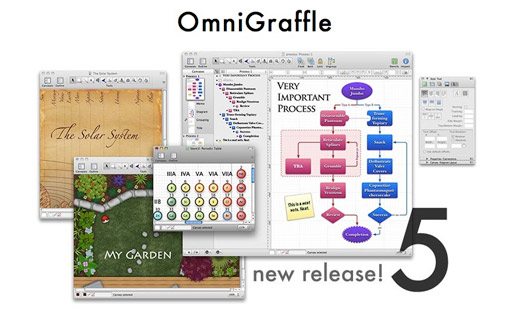
In previous jobs at Netscape and AOL, we'd use the Adobe Suite – Illustrator for diagrams and wireframes, Photoshop for visual design. What tools does your team use?
15 Wireframing Tools | UX Booth
Subscribe to:
Posts (Atom)


